

Editing service
Edit a service when you need to update the name, pricing, duration, staff assignment, or how it appears on your booking page.
-
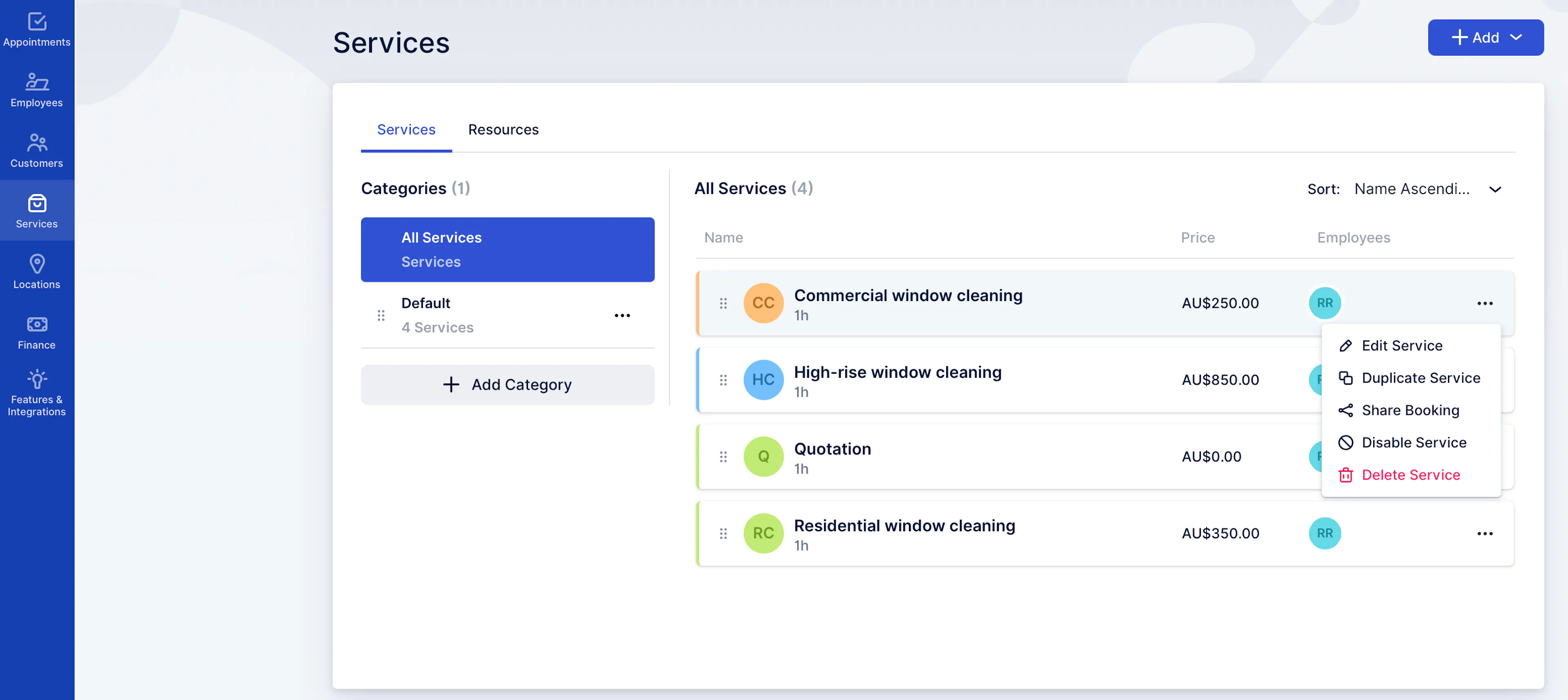
Go to Services
-
Find the service you want to change
-
Click the ••• menu on the service row\
-
Select Edit Service
-
Update what you need (commonly):
-
Service name
-
Category
-
Description (appears on your booking page)
-
Duration
-
Employees (who can be booked for this service)
-
Price
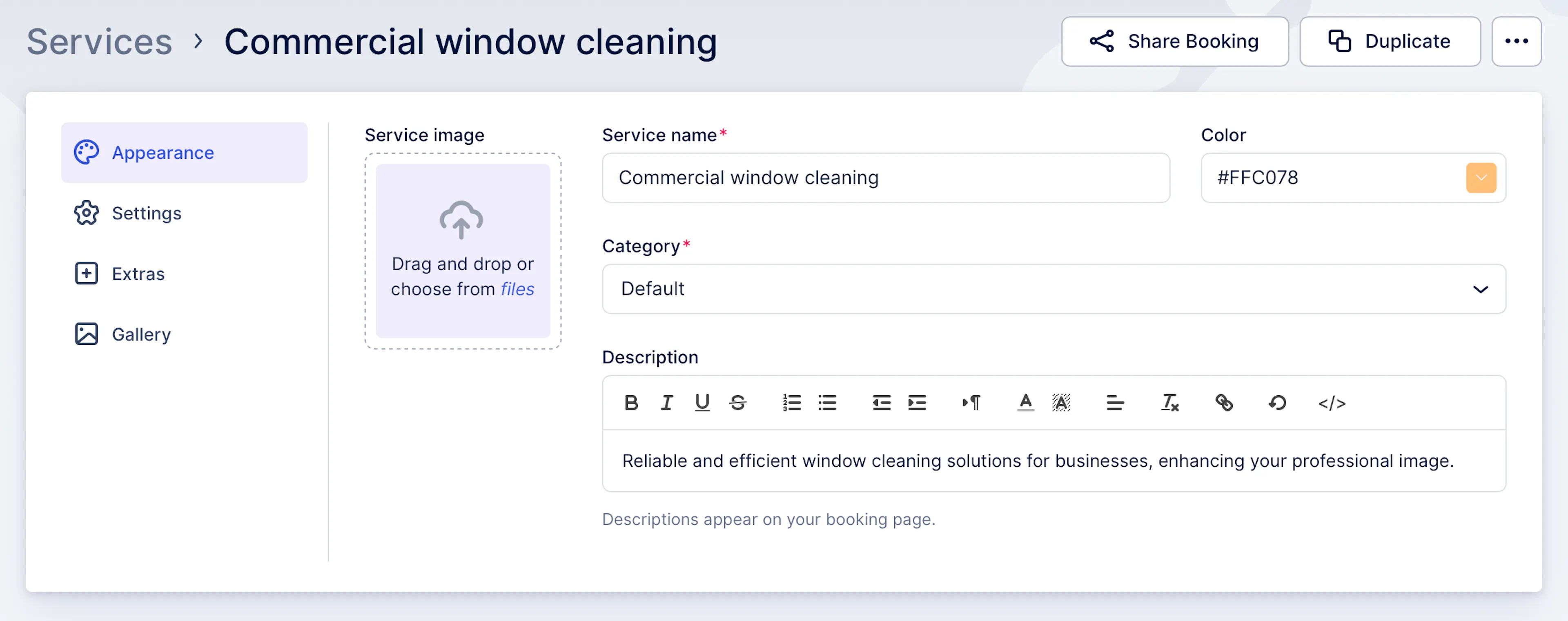
- Save your changes
Note: If customers are already booking this service, changes apply going forward (existing bookings may keep the details from the time they were booked).
Was this page helpful?