

Adding new service
Use services to control what customers can book online (and what you can book internally).
-
Open your Booking Dashboard
-
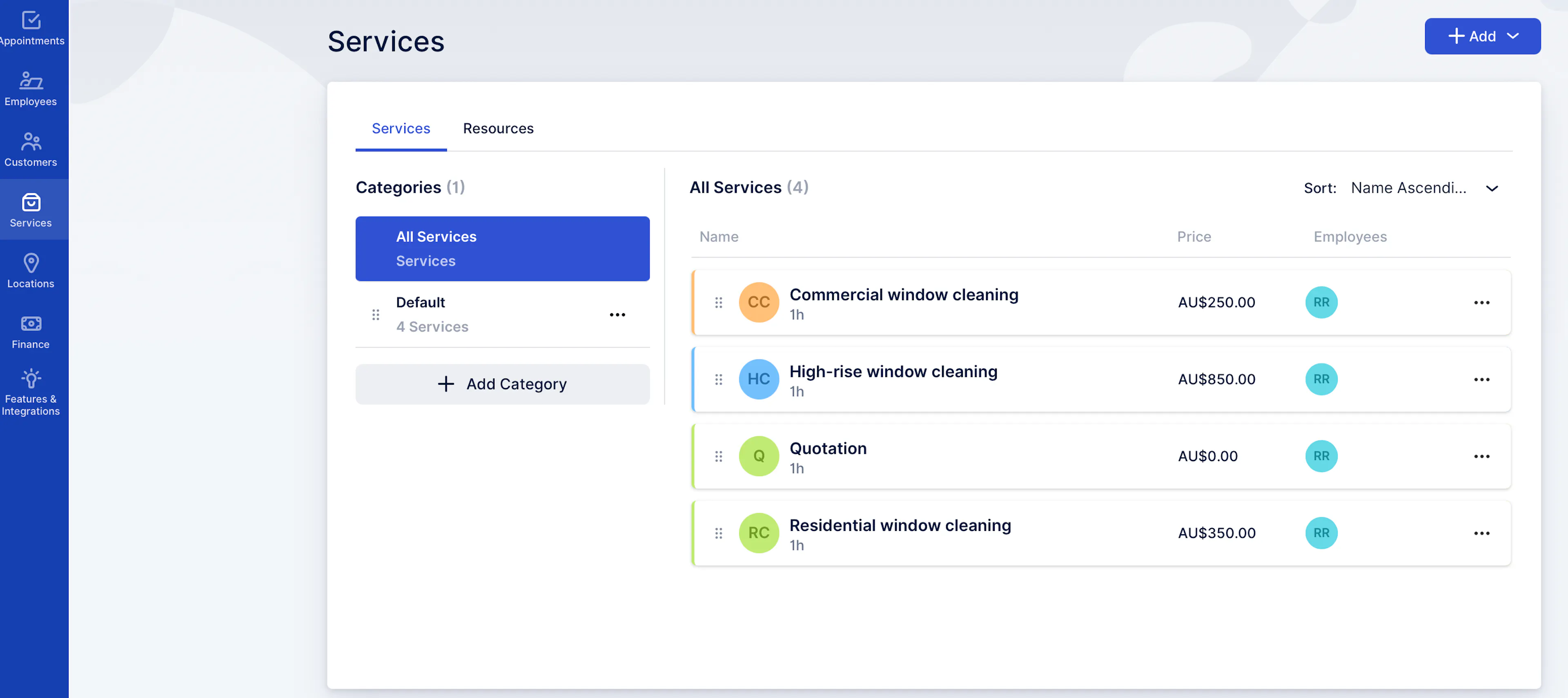
Go to Services (left sidebar)
-
Click + Add (top right) → choose Add Service
-
Fill in the key fields:
-
Service name (required)
-
Category (required)
-
Duration (required)
-
Price (required — set to $0 if you quote later)
-
Employees (assign who can deliver this service)
Optional: Description (shows on your booking page), Color, Service image
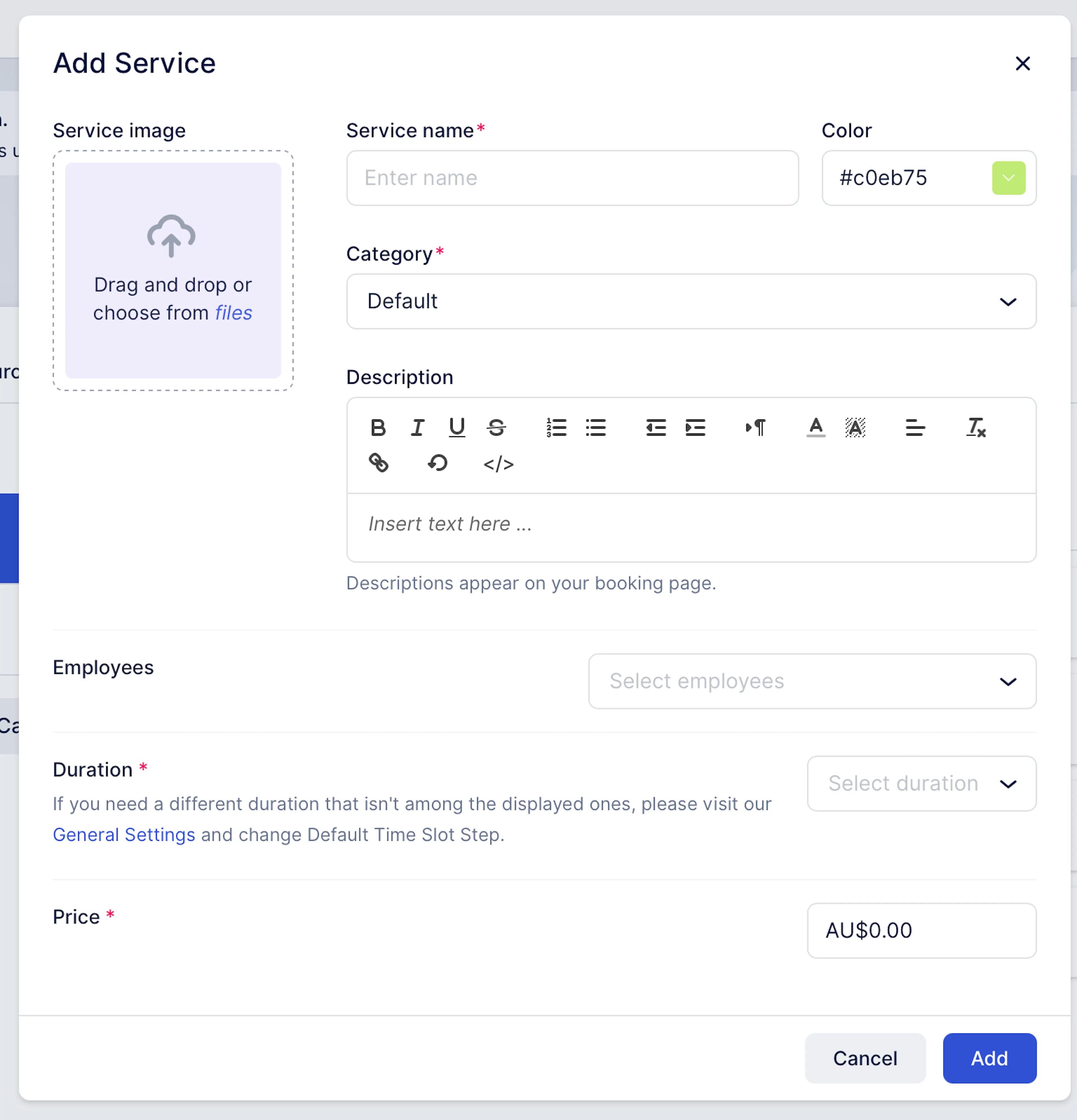
- Click Add to save
Was this page helpful?